學習反應與評量– 教師端查詢流程 (Teaching Evaluation for Teacher)
=====================================================================
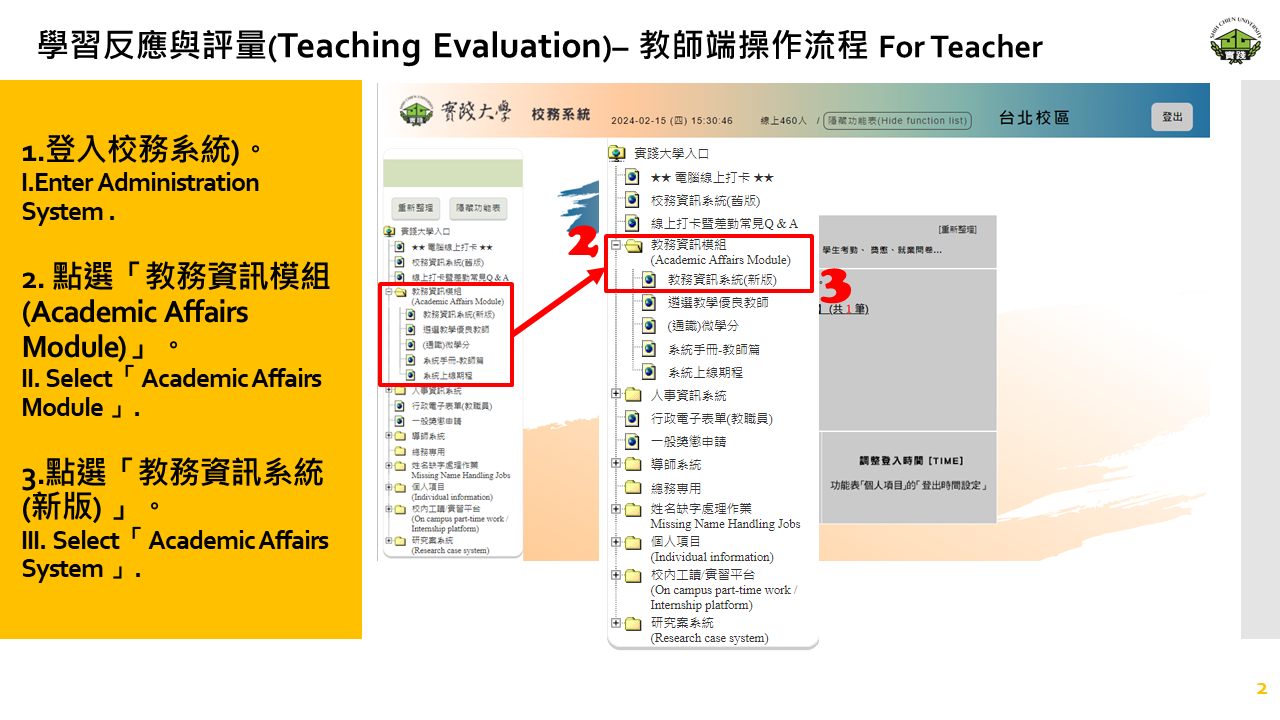
1.登入校務系統。
2. 點選「教務資訊模組(Academic Affairs Module)」。
3.點選「教務資訊系統(新版) 」。
1.Log in to the Administration System.
2.Select「教務資訊模組(Academic Affairs Module)」.
3.Select「 教務資訊系統(新版) 」(Academic Affairs System).
=====================================================================
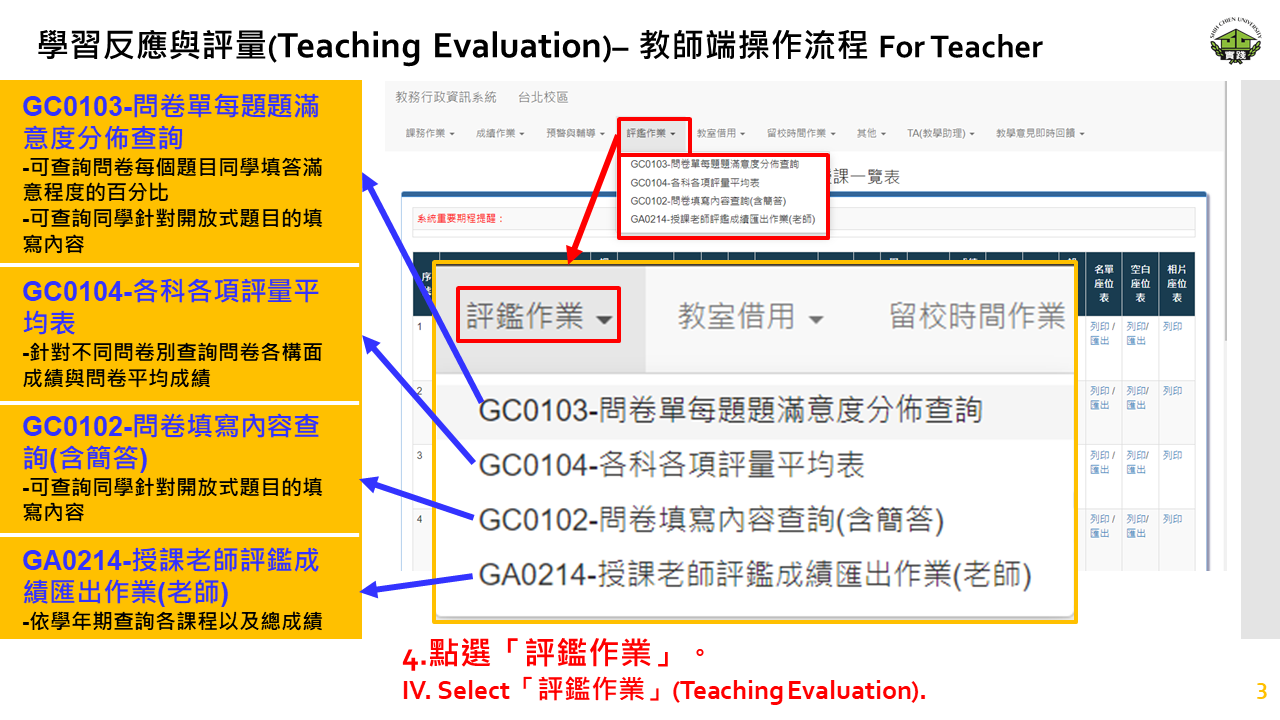
4.點選「評鑑作業」。
4.Select「評鑑作業」(Teaching Evaluation).
=====================================================================
GA0214 授課老師評鑑成績匯出作業(老師)
=====================================================================
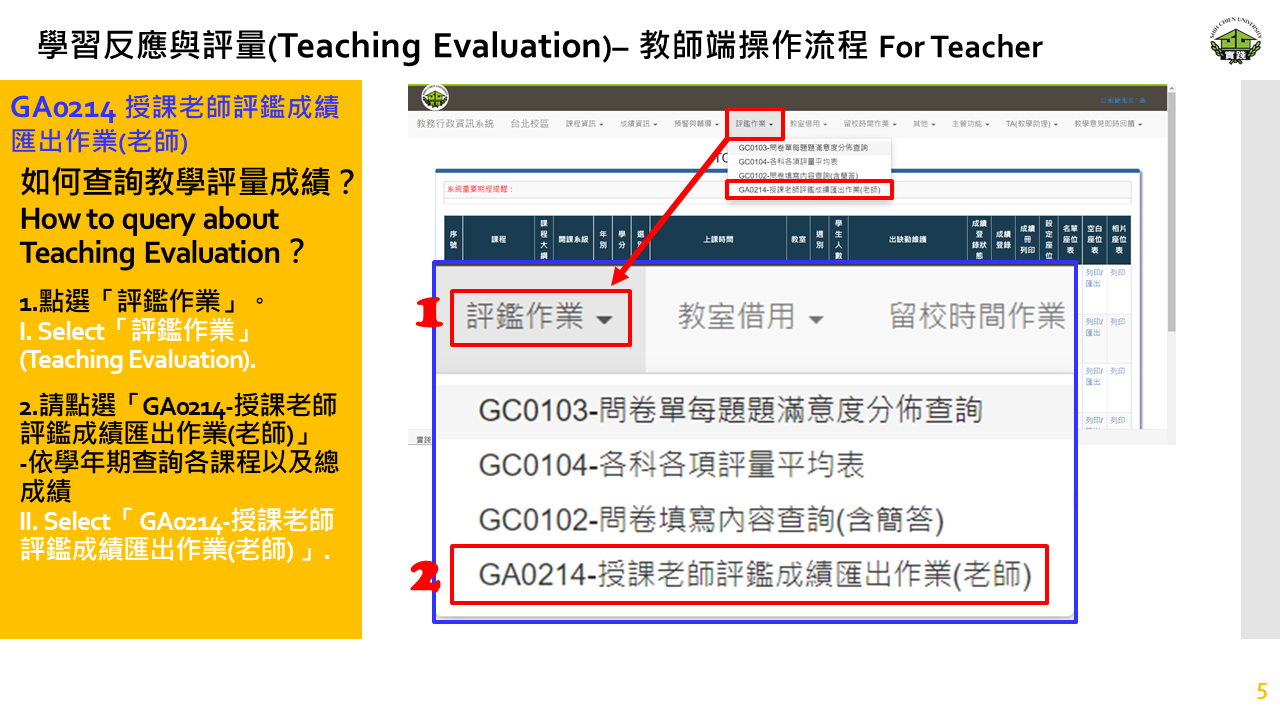
1.點選「評鑑作業」。
2.請點選「GA0214-授課老師評鑑成績匯出作業(老師)」-依學年期查詢各課程以及總成績
1.Select「評鑑作業」(Teaching Evaluation).
2.Select「 GA0214-授課老師評鑑成績匯出作業(老師) 」.
=====================================================================
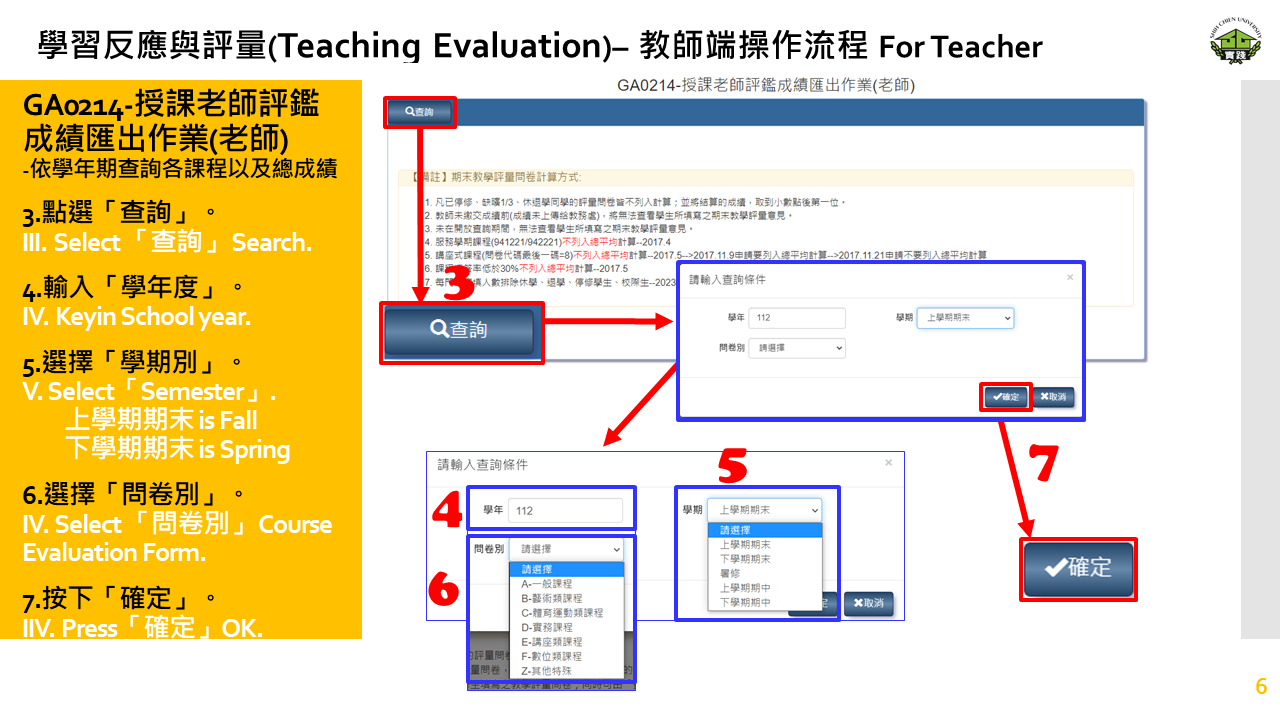
3.點選「查詢」。
4.輸入「學年度」。
5.選擇「學期別」。
6.選擇「問卷別」。
7.按下「確定」。
3.Select 「查詢」(Search).
4.Keyin 「學年度」(School year).
5.Select「學期別」(Semester).
category: "上學期期末"(Fall)、"下學期期末"(Spring)
6.Select 「問卷別」(Course Evaluation Form).
7.Press「確定」(OK).
=====================================================================
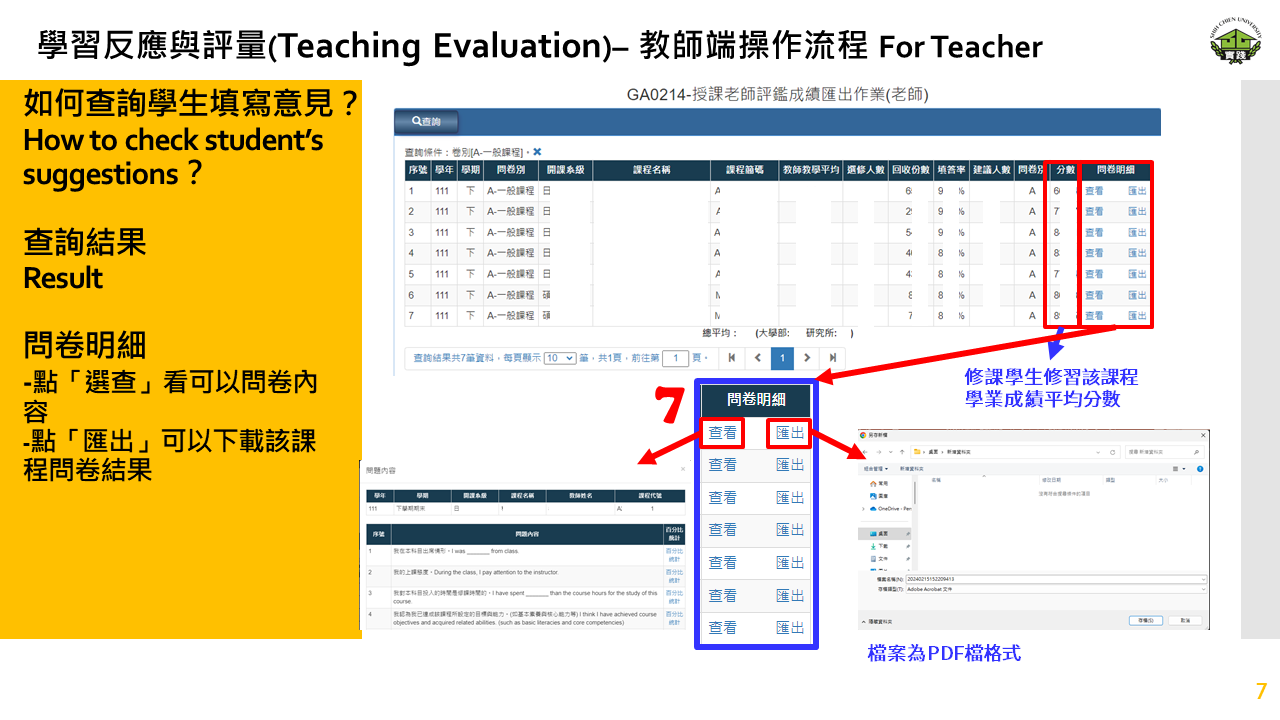
查詢結果
問卷明細
-點「選查」看可以問卷內容
-點「匯出」可以下載該課程問卷結果
Result
Survey Details(問卷明細)
- Click 「選查」“View” to see the questionnaire content
- Click 「匯出」“Export” to download the survey results for that course
=====================================================================
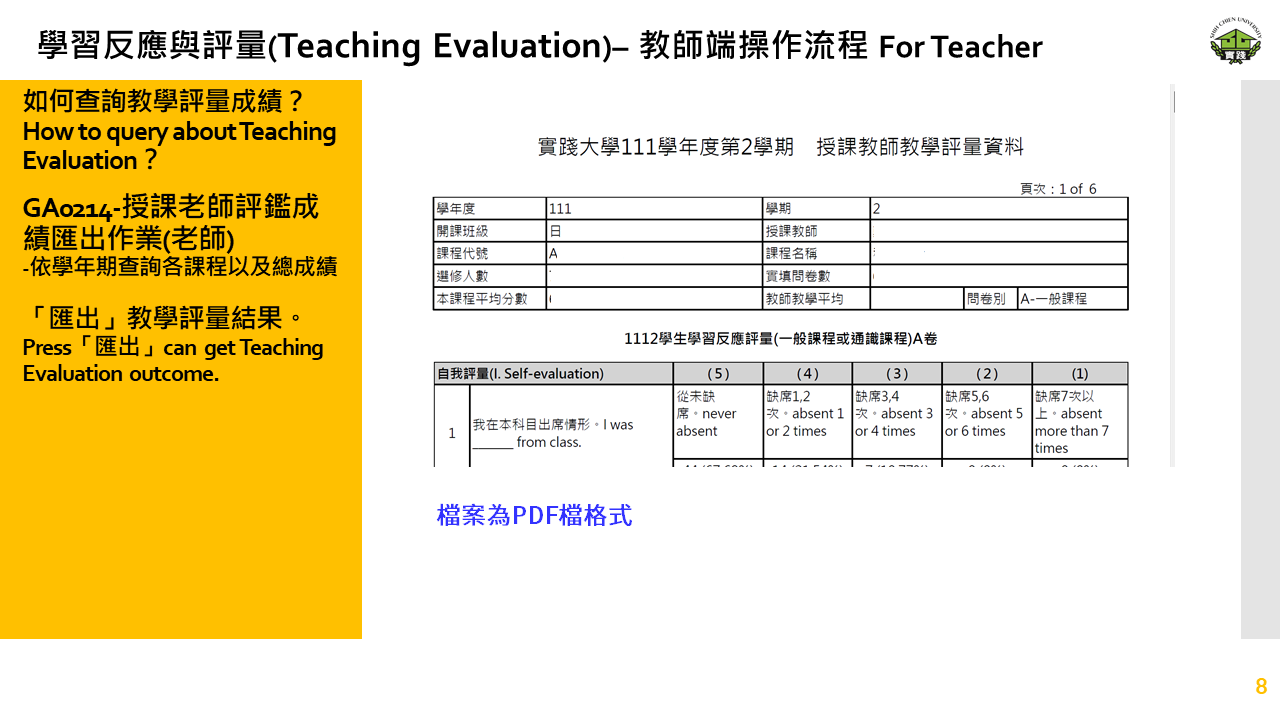
檔案格式為 PDF 檔
The file format is PDF.